Smart SIM Registration OTP Not Received? 7 Easy Ways to Fix It
Having trouble because your Smart SIM registration OTP is not arriving? This guide explains the most common reasons you may not receive the verification code and the practical steps you can try before contacting Smart support.
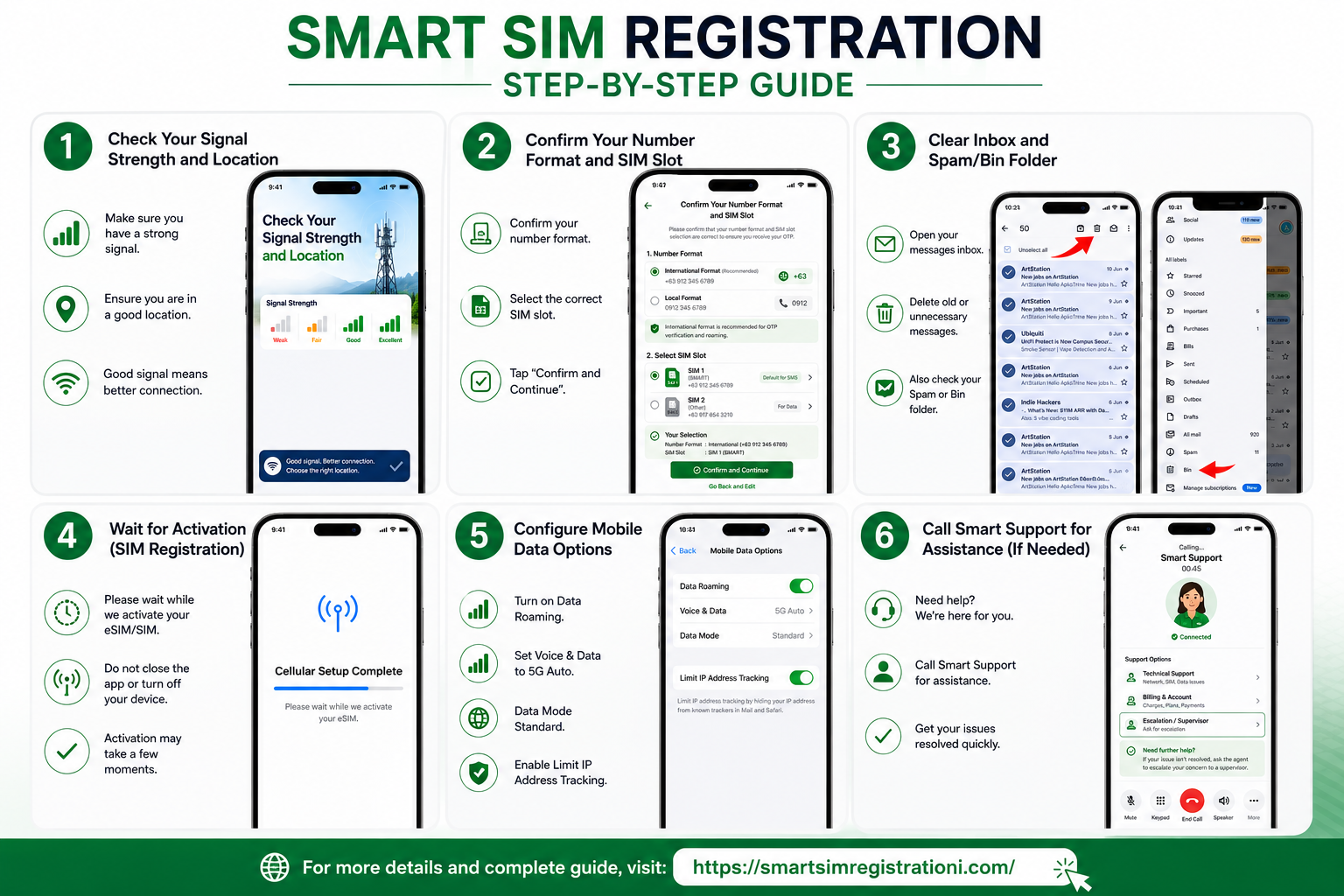
Smart SIM Registration OTP Not Received is a common problem when the verification code does not arrive on your Smart mobile number. An OTP, or One-Time Password, is used to verify that you have access to the mobile number being registered.
Before trying the registration again, check your signal, make sure the correct mobile number was entered, restart your phone, and confirm that your SMS inbox can receive new messages. These simple checks can often identify whether the problem is related to the phone, SIM, network, or registration session.
Quick Answer: Why Am I Not Receiving the Smart SIM Registration OTP?
The OTP may not arrive because of weak network reception, a temporary SMS delivery issue, an incorrect mobile number, a full message inbox, blocked messages, or a problem with the device or SIM. Start by checking your signal and SMS service, then restart your phone and request the OTP again when the option is available.
What Is the Smart SIM Registration OTP?
The Smart SIM registration OTP is a temporary verification code sent to the mobile number entered during the registration process. Its purpose is to confirm that the person completing the registration can access that mobile number.
If the code does not appear, do not immediately assume that your SIM registration has failed. First troubleshoot the SMS connection and the information entered during registration.
Smart SIM Registration OTP Not Received: 7 Ways to Fix It
Try the following solutions one at a time. After each step, check whether your Smart number can receive normal SMS messages before requesting another verification code.
1. Restart Your Phone or Toggle Airplane Mode
A quick network refresh can sometimes help when your phone is temporarily having trouble communicating with the mobile network. Turn Airplane Mode on for a few seconds and then turn it off, or restart the device completely.

After the phone reconnects to the network, check whether you can receive an ordinary SMS. If normal messages are also delayed, the issue may be related to SMS or network service rather than the registration page.
2. Check Your Smart Signal Strength and Location
Weak reception can affect SMS delivery. If your phone shows very low signal strength, move to a more open location and try again.
Smart’s own troubleshooting guidance recommends changing location when reception is weak, particularly where walls or other obstacles may interfere with the signal.
3. Confirm Your Smart Number and SIM Slot
Double-check the mobile number you entered on the registration page. A single incorrect digit can prevent the verification message from reaching the intended SIM.
- Confirm that you entered the correct Smart mobile number.
- Make sure the Smart SIM is inserted in the phone.
- If you use a dual-SIM phone, identify the correct Smart SIM.
- Check whether the Smart SIM has network service.
- Try sending or receiving a normal SMS.
4. Check Your SMS Inbox and Blocked Messages
Your phone may stop accepting new messages if its SMS storage is full. Open your messaging app and remove unnecessary old messages if your inbox is close to its limit.
Also check whether unknown or short-code messages have been blocked by your device. Smart recommends checking the phone’s block-list settings when SMS from a specific number cannot be received.
5. Wait Before Requesting Another OTP
If you have already requested a verification code, avoid repeatedly tapping the resend option. Wait for the current request to complete, then use the resend option if it is available.
6. Try Another Working Device
If the Smart SIM is receiving no SMS at all, testing it in another compatible working phone can help identify whether the issue is with the handset or the SIM/network connection.
If normal SMS works on another device but not on your original phone, review the original phone’s network, messaging, blocking, and SIM settings.
7. Contact Smart Support If OTP Still Does Not Arrive
If your Smart number has signal, can receive ordinary SMS, and the registration OTP still does not arrive after troubleshooting, contact Smart through its official support channels for assistance.
Do not give your OTP, password, banking information, or other sensitive account information to someone who contacts you unexpectedly. Smart warns customers that official customer-care channels will not ask for their OTP.
Why Is My Smart SIM Registration OTP Not Coming?
When the verification message does not appear, the cause can be something simple such as weak reception or a phone setting. It can also be a temporary SMS delivery problem.
Weak Network Signal
Low reception can affect SMS delivery. Try moving to an area with better Smart network coverage.
Incorrect Mobile Number
Recheck every digit before requesting another verification code.
SMS Inbox Is Full
Delete unnecessary messages if your device has limited SMS storage.
Blocked Messages
Check your phone’s blocked-number or message-filter settings.
Temporary Device Issue
Restarting your phone can refresh the network connection and messaging service.
SIM or Network Problem
If ordinary SMS also fails, the issue may not be limited to SIM registration.
How to Check If Your Smart SIM Can Receive SMS
Before troubleshooting the registration portal further, test the basic SMS service on your Smart SIM.
- Check whether your phone shows Smart network signal.
- Ask someone to send you a normal SMS.
- Send a normal SMS to another number if possible.
- Restart your phone and test SMS again.
- Try the Smart SIM in another compatible device if necessary.
If ordinary SMS messages are not arriving either, focus on the mobile service or device first rather than repeatedly submitting the registration form.
Ready to Register Your Smart SIM?
Once your Smart SIM can receive SMS normally, you can continue with the registration process and follow the complete registration guide.
View Smart SIM Registration GuideHelpful Smart SIM Registration Guides
If the OTP issue is solved but you need help with another part of the process, these related guides can help you continue.
Need Registration Help for Another Philippine SIM?
If you are not using Smart, we also have separate guides for other major Philippine mobile networks. Keeping these topics on separate pages helps visitors find the instructions that match their SIM.
Frequently Asked Questions About Smart SIM Registration OTP
Why is my Smart SIM registration OTP not received?
The OTP may be delayed because of weak signal, an SMS delivery issue, an incorrect mobile number, a full SMS inbox, blocked messages, or a temporary phone or network problem. Check your signal and SMS service before requesting another code.
What should I do if Smart OTP is not coming?
Restart your phone, refresh the network connection, check your SMS inbox, confirm the mobile number, and make sure messages are not being blocked. If ordinary SMS also fails, test the SIM in another compatible device.
Can I request the Smart registration OTP again?
If the registration page provides a resend option, you can request another verification code. Avoid repeatedly requesting codes in quick succession and use the current code associated with your active registration session.
Why am I receiving normal SMS but not the Smart registration OTP?
If normal messages arrive but the registration OTP does not, the issue may be specific to the registration request or message delivery. Confirm the number you entered and try the available resend option. If the problem continues, contact Smart support.
What if my Smart SIM has no signal?
Move to an area with better reception and restart your phone. You can also test the SIM in another working compatible device. If the signal problem continues, contact Smart for assistance.
Should I share my Smart OTP with customer support?
No. Keep your OTP private. Smart advises customers not to disclose one-time PINs or verification codes to other people.
Can I register my Smart SIM after fixing the OTP problem?
Yes. Once your Smart number can receive SMS and the registration portal accepts the verification code, continue the registration process using the required personal information and identification documents.
Smart SIM OTP Problem Still Not Solved?
If you have checked your signal, SMS inbox, mobile number, device, and SIM but still cannot receive the verification code, the next step is to contact Smart through its official support channels.
Always use official Smart channels and never provide your OTP to anyone claiming they can complete the registration for you.
Smart Official SupportHelpful note: This guide is written to help users troubleshoot common SMS and OTP problems during Smart SIM registration. For account-specific issues, registration status, or technical problems, always verify the latest information through Smart’s official support channels.