
Smart SIM Registration Online & Offline in the Philippines
Looking for reliable information about Smart SIM Registration? Our detailed guide explains the registration process, required information, status checking, common OTP problems, and helpful resources for Smart, TNT, and Smart Bro subscribers.
Whether you are registering a new SIM, checking an existing registration, or looking for guidance as a foreign visitor, this website provides informational resources to help you understand the process.
Register Now – Official Smart PortalFor official information, visit the Smart SIM Registration FAQs .
What Is Smart SIM Registration?
Smart SIM Registration is the process of providing the required subscriber information for a Smart, TNT, or Smart Bro SIM card under the Philippine SIM Registration Act, Republic Act No. 11934.
The law introduced registration requirements for mobile subscribers in the Philippines. Users should provide accurate information and follow the official registration instructions applicable to their situation.
Smart subscribers may need guidance about online registration, supporting documents, verification, registration status, and troubleshooting. This website brings these topics together in one place so visitors can find relevant information without searching through multiple pages.
What You Can Find in This Guide
- Smart SIM registration methods
- Required information and identification documents
- Online registration guidance
- App and registration status information
- OTP troubleshooting
- Pending registration guidance
- Tourist and foreigner registration information
- Related TNT, Globe, DITO, and TM guides
Why Is Smart SIM Registration Important?
SIM registration was introduced to support efforts to address scams, fraud, and illegal activities involving mobile communication. Registration connects a subscriber’s mobile number with the required identity information.
Providing accurate information is important because incorrect or incomplete details can create difficulties during verification. Before submitting your registration, review the information requested by the official Smart system.
Smart SIM Registration Methods
Smart SIM registration guidance may involve online registration and assisted support options. The available process depends on the instructions and services currently provided by Smart.
1. Online Smart SIM Registration
The official Smart SIM registration portal is the primary place to check the online registration instructions. Open the portal and follow the steps shown for your SIM and subscriber category.
Open Official Registration Portal2. Registration Assistance
If you need help with the registration process, check Smart’s official support resources and store information. Assisted services and availability may vary, so confirm the current options directly with Smart.
Read the complete guide: Smart SIM Registration Methods
Smart SIM Registration Requirements
Before beginning the registration process, prepare the information and documents that may be requested. Requirements can depend on your subscriber category and the instructions provided by Smart.
Personal Information
- Full legal name
- Date of birth
- Complete residential address
- Nationality, when requested
- Mobile number
- Other information required by the official form
Identification Information
- Valid identification document
- ID number, when requested
- Passport for applicable foreign subscribers
- Additional supporting documents, when required
Accepted IDs for Smart SIM Registration
The accepted identification documents depend on the applicable registration rules and Smart’s current verification process. The official portal should be used to confirm which identification documents are accepted for your situation.
Before Uploading Your ID
- Use a valid document that meets the official requirements.
- Make sure the information is readable.
- Check that your personal details are accurate.
- Follow the official upload instructions.
- Do not send your ID to unofficial individuals for registration.
How to Register a Smart SIM Online
The online registration process requires users to follow the instructions provided by the official Smart portal. The exact screens and options may change over time.
Step 1: Open the Official Smart Portal
Visit the official Smart SIM registration website:
https://simreg.smart.com.ph/Use the official website when submitting your registration details. Avoid unknown websites requesting personal information.
Step 2: Enter Your Mobile Number
Follow the instructions displayed by Smart to enter your mobile number and complete the requested verification process.
Review the number carefully before proceeding.
Step 3: Complete the Registration Form
Enter your personal information exactly as requested. Check spelling, date of birth, address, and other details before continuing.
Step 4: Provide Required Documents
If Smart requests an identification document or additional supporting information, follow the official upload instructions.
Make sure your documents are clear, valid, and readable.
Step 5: Review and Submit
Review your information carefully before submitting the registration. If Smart provides a control number or reference number, save it safely for future inquiries.
Smart SIM Registration Through the App
Smart’s official app provides account-related services. The available registration and verification features may change, so follow the current instructions in the official application.
Smart App Login Guidance
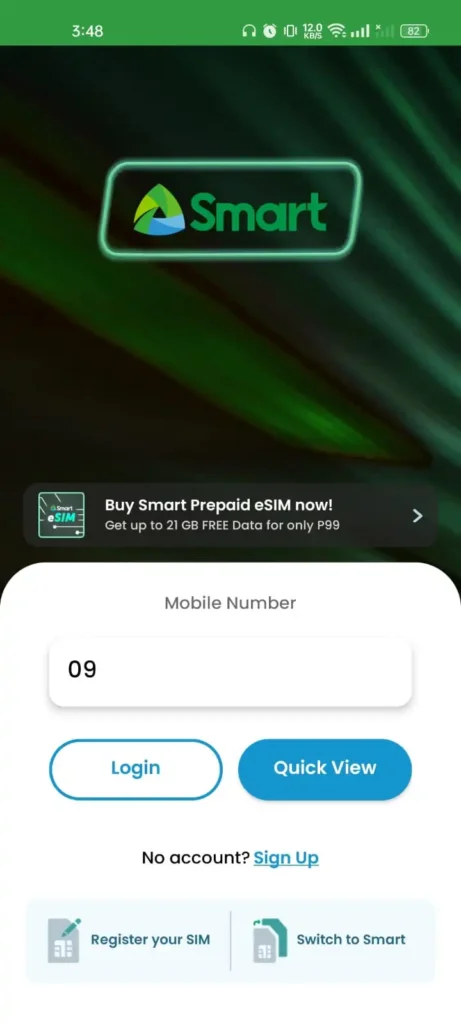
When using the official app, follow its login and verification instructions. Use the mobile number associated with your account when requested.
- Install the official Smart app from a trusted app store.
- Open the application.
- Follow the available login instructions.
- Complete OTP verification when requested.
- Review the account services available to you.
For related SIM activation information, visit: How to Activate SIM Card in the Philippines
How to Check Smart SIM Registration Status Online
After submitting your Smart SIM registration, you may want to confirm whether your application has been completed or requires further verification.
The available status-checking options may depend on Smart’s current portal and account services. Use official Smart resources for the latest instructions.
Method 1: Check Through Official Account Services
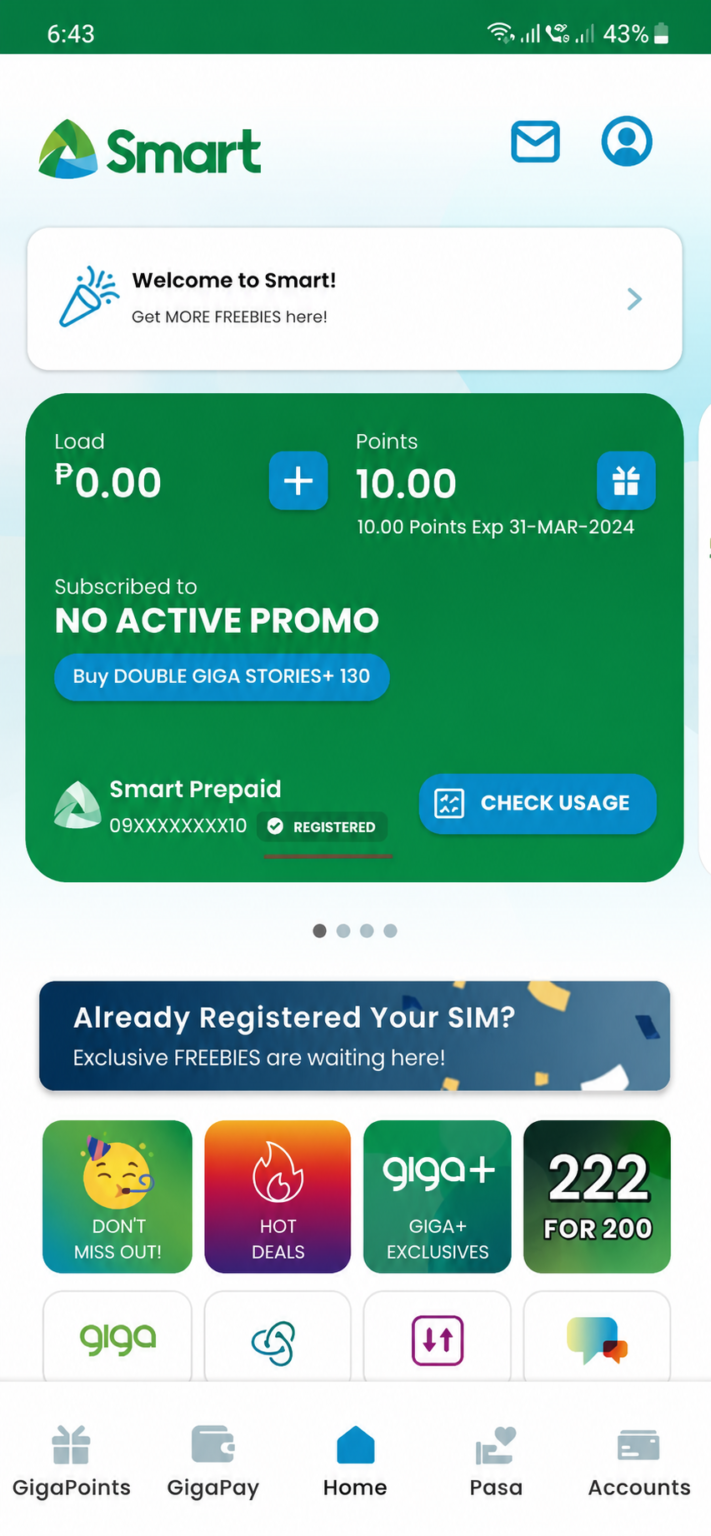
Follow the instructions in the applicable official Smart account service to review your registration-related information.
Method 2: Check Through the Official Portal
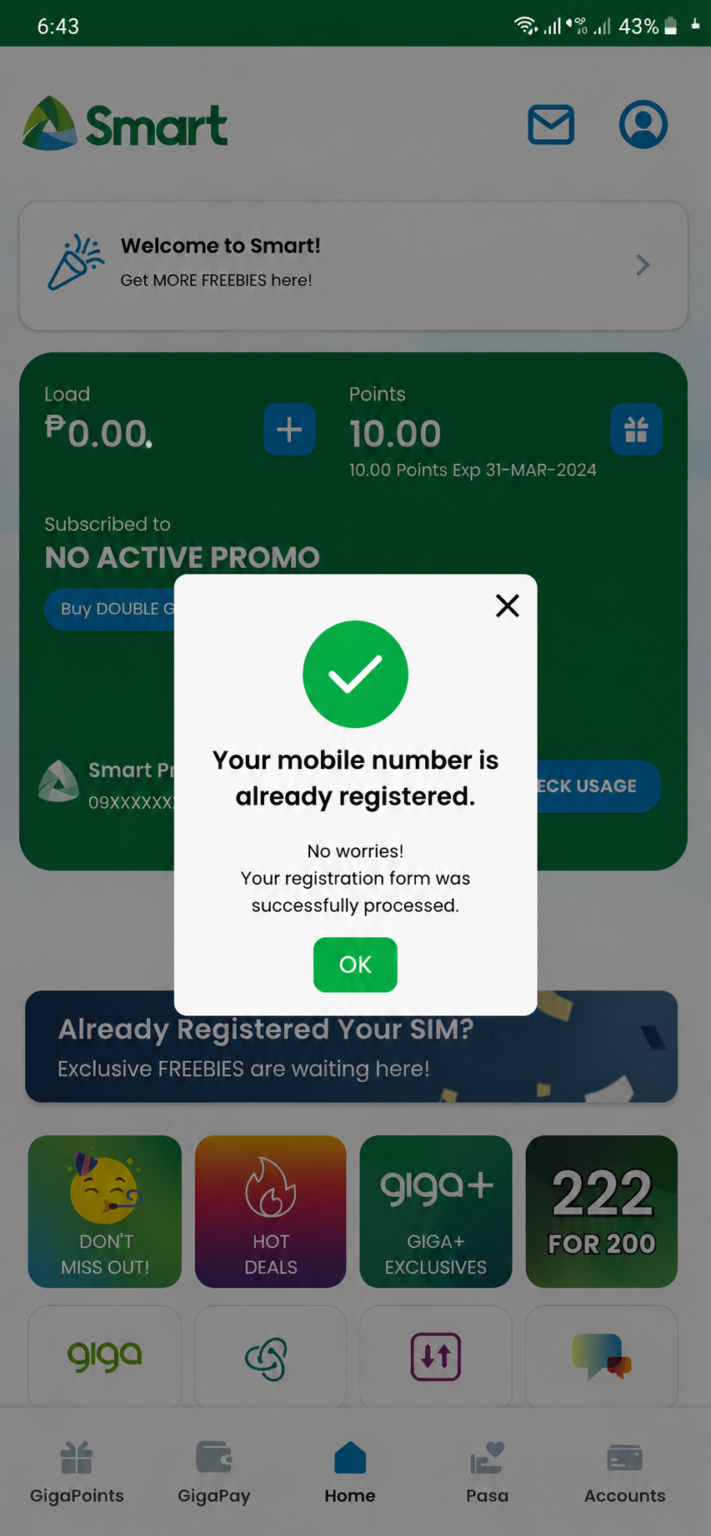
Visit the official Smart portal and follow the available verification instructions. Enter the requested information and review the result displayed by Smart.
Check Official Smart PortalUnderstand Your Registration Result
The official Smart system may display information about your registration or verification process. Read the message carefully and follow any instructions provided.
For a more detailed informational guide, visit: Smart SIM Registration Status
What If Your Smart SIM Registration Is Still Pending?
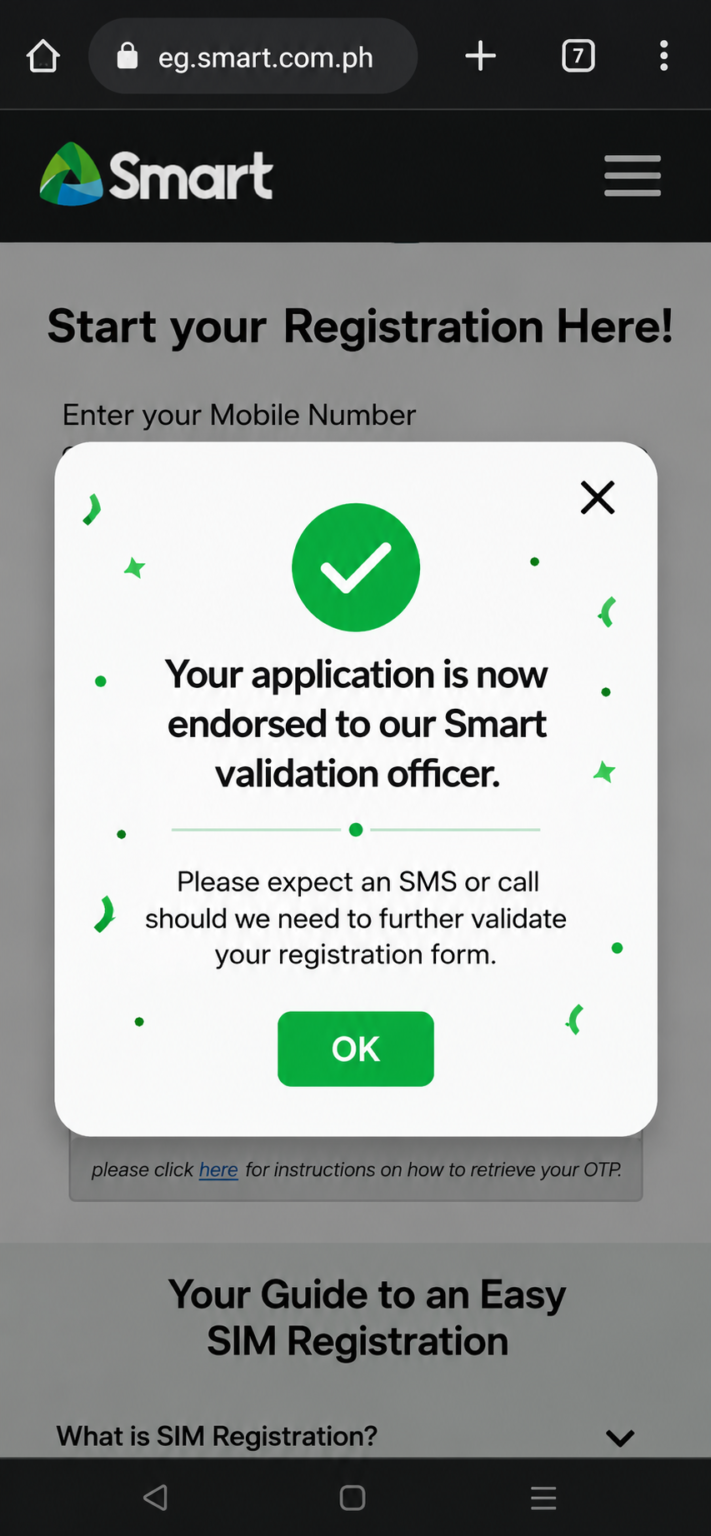
If your registration is still under review, check the instructions provided by Smart. A pending result does not necessarily mean that you should immediately submit another application.
Helpful Steps to Follow
- Keep your control or reference number safe.
- Review messages received from official Smart channels.
- Check whether additional information has been requested.
- Follow the instructions shown by the official system.
- Contact Smart support if you need clarification.
You can also read our related guide: Smart SIM Deactivated After Registration
Smart SIM Registration OTP Not Received
Not receiving an OTP can be frustrating when you are trying to complete registration or access an account. Several basic checks may help you identify the issue.
What Should You Check?
- Confirm that the mobile number is correct.
- Check your phone’s SMS inbox.
- Make sure your phone can receive messages.
- Check your mobile signal and connection.
- Wait briefly before requesting another OTP.
- Avoid sharing OTP codes with anyone.
If the issue continues, use official Smart support resources for further assistance.
Read our detailed guide: Smart SIM Registration OTP Not Received
Smart SIM Registration for Tourists & Foreigners
Foreign nationals visiting or staying in the Philippines may have registration requirements that differ according to their circumstances. Tourists, students, employees, and other foreign subscribers should check the applicable official requirements before registering.
Information to Review Before Registration
- Valid passport, when required
- Applicable subscriber information
- Supporting documents requested by Smart
- Current registration instructions
Do not rely on an outdated document list. Confirm the applicable requirements through official Smart resources.
Registration Guidance for Foreign Visitors
If you are visiting the Philippines, check the official Smart portal and follow the instructions applicable to your visitor status. Additional documentation may be required depending on the rules and your circumstances.
Read our detailed guide: Smart SIM Registration for Tourists & Foreigners
Other SIM Registration Guides in the Philippines
Besides Smart SIM Registration, we also provide informational guides for other mobile networks. Choose the topic that matches your SIM or the information you are looking for.
Smart SIM Registration Methods
Learn about available Smart registration methods and related guidance.
Read Smart Methods GuideDITO SIM Registration
Explore our informational DITO SIM registration guide.
Read DITO SIM RegistrationCommon Smart SIM Registration Mistakes to Avoid
Small mistakes during registration can cause confusion or delays. Review the following points before submitting your information.
1. Entering Incorrect Information
Review your name, date of birth, address, and other details carefully. Use accurate information as requested by the official registration system.
2. Using Unofficial Websites
Avoid submitting personal information through unknown websites or individuals claiming to register your SIM on your behalf.
3. Sharing Your OTP
An OTP is sensitive verification information. Never share it with someone who asks for it through an unofficial channel.
4. Ignoring Official Instructions
Registration procedures can change. Follow the latest instructions displayed by Smart rather than relying only on old screenshots or third-party guides.
Official Smart Support & Helpful Resources
For current registration instructions and support, use Smart’s official resources. The links below can help you find information directly from the provider.
Official Smart Links
Frequently Asked Questions
Visit the official Smart SIM registration portal and follow the instructions displayed there.
Open Official Smart PortalNo. We are an independent informational website and are not affiliated with Smart Communications, TNT, PLDT, or the Philippine government.
Check your mobile number, SMS inbox, and network connection. If the problem continues, use official Smart support resources.
Foreign subscribers may have additional registration requirements. Check the current official Smart instructions for your circumstances.
Check the available verification options through official Smart channels and follow the instructions provided.
Need Help With Smart SIM Registration?
Explore our detailed guides to understand the registration process, common issues, and official resources.
Register Now – Official Smart Portal Explore Registration MethodsSMART SIM Registration Online Resources
If your registration fails, your SIM is not activating, or your number shows as registered to someone else, contact Smart through these official channels:
Free hotline. Dial from your Smart or TNT number.
Smart hotline. Call from any landline.
Chat with Smart’s official support page.
Smart’s own SIM registration FAQ page.
You can visit the official Smart Help Center for updated information, registration guides, and answers to common questions. You may also contact Smart Customer Care through their official hotline or social media support channels for assistance with registration, OTP issues, document verification, or SIM activation concerns.
If you are a Smart Postpaid subscriber, you usually do not need to complete the online SIM registration form. Smart has simplified the process for eligible postpaid users.
Simply send the word YES to 5858 using your Smart Postpaid number. After a few moments, you will receive a confirmation message informing you that your SIM has been successfully registered. If you do not receive a confirmation message, contact Smart Customer Care for further assistance.
How Can I Check My Remaining Smart Mobile Data?
Checking your remaining mobile data is quick and easy.
You can dial *123# from your Smart mobile phone to access the Smart menu, where you can view your remaining data balance, active promos, and account information.
Alternatively, you can use the Smart GigaLife App to monitor your mobile data usage, remaining balance, active subscriptions, and available promos in real time. The app provides the most convenient way to manage your Smart account directly from your smartphone.

Need help in Registering your SIM with Smart?
We’d be more than happy to help.
You may contact us online or you may visit a Smart Store near you.
You may also call our hotline at (02) 8888 1111
Smart SIM Registration Guide