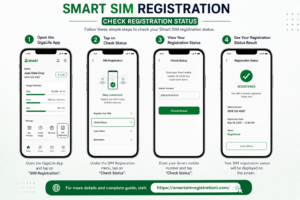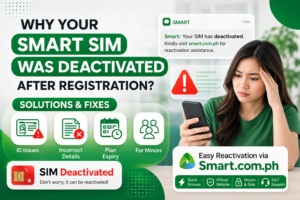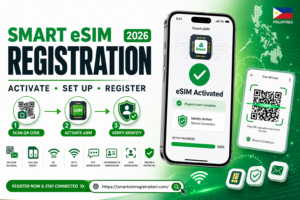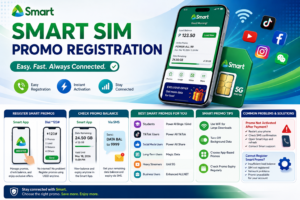
How to Activate SIM Card in the Philippines is one of the most common questions asked by new mobile users. Whether you have a Smart, TNT, Globe, TM, or DITO SIM, this guide explains the complete activation process step by step.
The activation process depends on your mobile network provider. In the Philippines, Smart, TNT, Globe, TM, and DITO all require users to register their SIM cards under the SIM Registration Act (Republic Act No. 11934) before they can fully use mobile services.
This guide explains how to activate a SIM card for each major network, the requirements you need, common activation problems, and practical solutions. Whether you have a brand-new prepaid SIM or you’re activating a replacement SIM, this article will help you complete the process successfully.
Quick Access to SIM Registration Guides
Choose your mobile network below to open the complete registration guide with step-by-step instructions, required documents, and troubleshooting tips.
SIM Activation Comparison Table
| Mobile Network | SIM Registration Required | Activation Method | Official App |
|---|---|---|---|
| Smart | ✅ Yes | Online Registration | Smart App |
| TNT | ✅ Yes | Online Registration | Smart App |
| Globe | ✅ Yes | Online Registration | GlobeOne App |
| TM | ✅ Yes | Online Registration | GlobeOne App |
| DITO | ✅ Yes | DITO App or Website | DITO App |
Tip: Every mobile network in the Philippines requires SIM registration before activation. Select your provider above to follow the correct registration process and activate your SIM without delays.
What Does SIM Activation Mean?
SIM activation is the process of enabling your SIM card so it can connect to your mobile network. Once activated, you can:
- Make and receive calls.
- Send and receive SMS messages.
- Use mobile data.
- Subscribe to promos.
- Access mobile apps and digital services.
For new SIM cards in the Philippines, activation usually takes place after successful SIM registration.
Requirements Before Activating Your SIM
Before starting the activation process, make sure you have:
- Your new SIM card.
- A compatible unlocked mobile phone.
- A stable internet connection (if registering online).
- A valid government-issued ID.
- Your personal information.
- A clear selfie photo (if required).
- Access to receive an OTP (One-Time Password).
Preparing these items in advance makes the activation process faster and helps avoid delays.
How to Activate a Smart SIM Card
If you have purchased a Smart prepaid SIM, insert it into your phone and complete the official SIM registration process. After your registration is approved, your SIM will usually become active within a short period.
If you experience delays, restart your phone and check for a network signal. If the problem continues, contact Smart Customer Support or visit an authorized Smart Store.
How to Activate a TNT SIM Card
TNT users follow the same activation process as Smart because TNT operates under Smart Communications. Register your SIM through the official registration portal, complete OTP verification, upload your identification documents, and submit your application.
After approval, restart your device if necessary and wait for the network signal to appear.
How to Activate a Globe SIM Card
To activate a Globe SIM, insert the SIM card into your phone and complete the required SIM registration. Globe users can register online or through the GlobeOne App.
Once registration is successful, your SIM will normally activate automatically.
How to Activate a TM SIM Card
TM prepaid users must also complete SIM registration before using their SIM card. You can register online or through the GlobeOne App since TM is part of Globe Telecom.
After successful verification, your TM SIM will become active and ready to use.
How to Activate a DITO SIM Card
DITO users can activate their SIM by inserting it into a compatible device and completing the registration process through the DITO App or official registration portal.
After your information is verified, restart your phone if required. Your DITO SIM should become active shortly afterward.
Why Isn’t My SIM Activating?
If your SIM does not activate, one of these issues may be responsible:
- SIM registration has not been completed.
- Incorrect personal information was submitted.
- OTP verification failed.
- Weak network signal.
- SIM card inserted incorrectly.
- Device compatibility issues.
- Temporary network maintenance.
Restarting your phone or reinserting the SIM often solves simple activation problems.
Tips for Faster SIM Activation
- Register your SIM immediately after purchase.
- Use a valid government-issued ID.
- Upload clear photos.
- Enter the correct mobile number.
- Complete OTP verification without delay.
- Keep your reference number until activation is complete.
- Restart your phone after registration.
Frequently Asked Questions
How long does SIM activation take?
Most SIM cards are activated shortly after successful registration, although processing times can vary depending on the network provider.
Can I use my SIM without registration?
No. Under the Philippine SIM Registration Act, SIM registration is required before a new SIM can be fully activated and used.
Do Smart, TNT, Globe, TM, and DITO all require SIM registration?
Yes. All major mobile network providers in the Philippines require SIM registration before activation.
What should I do if activation fails?
Restart your phone, verify your registration details, check your network signal, and contact your network provider if the issue continues.
Activating a SIM card in the Philippines is a straightforward process when you follow the correct steps. Whether you use Smart, TNT, Globe, TM, or DITO, successful SIM registration is the key to activating your mobile services. Always provide accurate information, complete OTP verification, and keep your confirmation details for future reference.
If you need detailed registration instructions for your specific network, explore our complete guides for Smart SIM Registration, TNT SIM Registration, Globe SIM Registration, TM SIM Registration, and DITO SIM Registration to complete the process with confidence.