
TNT SIM Registration Online 2026
TNT SIM registration is a mandatory requirement under the Philippine SIM Registration Act. Registering your TNT SIM helps protect users from scams, fraud, and other forms of mobile-related crimes while ensuring uninterrupted access to calls, text messaging, and mobile data services.
TNT (Talk ‘N Text) provides multiple registration methods to make the process quick and convenient. You can register your TNT SIM online through the official registration portal or visit an authorized Smart or TNT store for in-person assistance. Once your SIM is successfully registered, you can continue enjoying TNT’s affordable prepaid promos, reliable mobile data, voice calls, and text services without interruption.

⚠️ Important: Newly purchased TNT SIM cards cannot make or receive calls until they are successfully registered online.
How to Register Your TNT SIM
Registering your TNT SIM is quick and easy. Simply prepare a valid government-issued ID and choose the registration method that works best for you. Once your registration is complete, you can continue enjoying uninterrupted calls, texts, and mobile data services.
Registration Methods
- 🌐 TNT SIM Registration via Online Portal
- 📱 Register Through the Smart App
- 🏢 Offline TNT SIM Registration at an Authorized Store
1. TNT SIM Registration Through the Online Portal
Registering your TNT SIM through the official online portal is one of the fastest and most convenient ways to activate your SIM card. You can complete the entire registration process from your smartphone, tablet, or computer without visiting a Smart or TNT store. Simply prepare your mobile number and a valid government-issued ID, then follow the steps below to register your TNT SIM successfully.
1;Click the TNT registration SIM button below or visit TNT SIM Registration link online .
2:You may also scan the QR code to be redirected to the TNT registration SIM card portal.

3:Enter your TNT mobile number starting with 9.
4:Use the format 917XXXXXXXX and exclude 0 or +63.
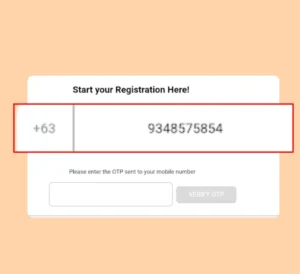
5:Tick the box confirming that you have read the Terms and Conditions.
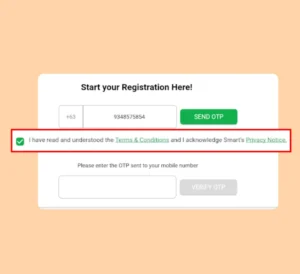
6:Click the “Send OTP” button.
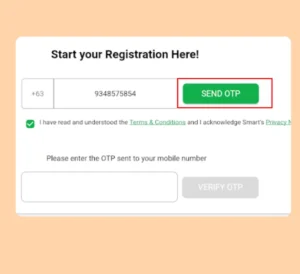
- Wait for the OTP to arrive, then return to the registration SIM TNT portal.
- If you haven’t received it within 2 minutes, click “Resend OTP.”
9:Carefully enter the OTP, then click “Verify OTP.”
(Note: The OTP will expire in 2 minutes.)
10:Once your mobile number is verified, tap OK to continue.
- If you haven’t received it within 2 minutes, click “Resend OTP.”
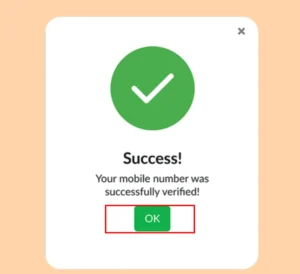
10:You will now see the Customer Information Form. Fill in all the required details.
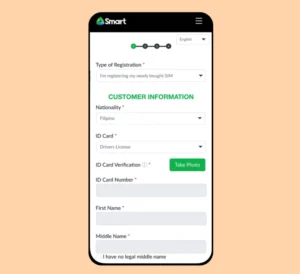
12:Next, select the Registration Type — choose whether you are registering a new SIM or an existing SIM.
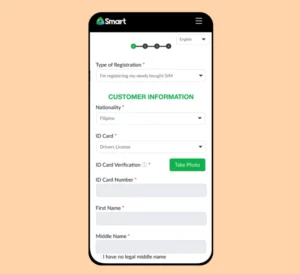
- Choose your Nationality. This is a required field.
- For example, if you are from the Philippines, select Philippines as your nationality.
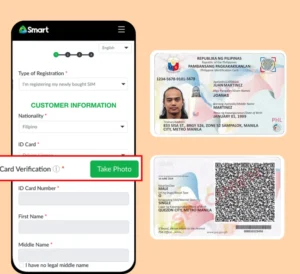
- Proceed with ID Card Verification by uploading clear images of the front and back of your valid ID.
- Make sure your ID is not expired, otherwise it will not be accepted.
- Follow the on-screen prompt to take a live selfie.
- Ensure your face is clear, well-lit, and matches your ID photo.
- After your ID is successfully scanned, click OK to continue.

- Enter your First Name, Last Name, Age, Date of Birth, Gender, Contact Number, and Address.
- (In some cases, TNT may automatically detect these details from your ID.)

- You can also add alternate contact information (optional), then click Next.

- Review the final summary displayed on the screen.
- Tick the confirmation box and tap Submit.

- You will see a “Congratulations” message — your TNT/Smart SIM is now successfully registered!

Register via Smart App /Gigalife App
The Smart App is one of the easiest and fastest ways to complete your TNT SIM Registration Online 2026. With just a few taps, you can register your TNT SIM directly from your smartphone without visiting a Smart Store. Before you begin, make sure your TNT SIM is inserted in your device, you have a stable internet connection, and keep a valid government-issued ID ready for verification.

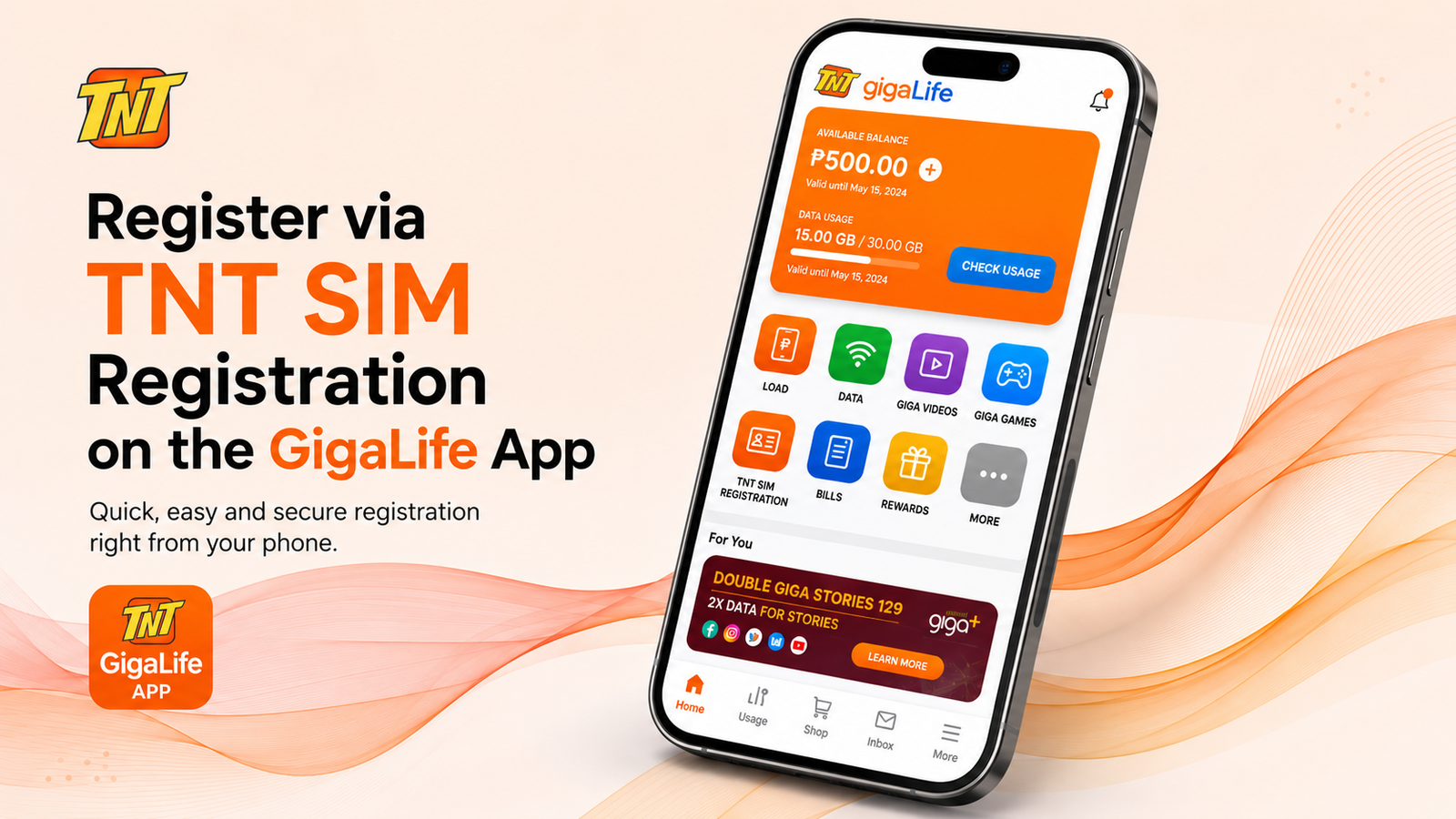
Follow These Steps to Register Your TNT SIM Using the Smart App
Step 1: Download and install the Smart App from the Google Play Store or Apple App Store if it is not already installed on your device.
Step 2: Open the app and sign in using your active TNT mobile number. Enter the OTP (One-Time Password) sent to your SIM to verify your number.
Step 3: Once logged in, tap the SIM Registration option available on the home screen.
Step 4: Fill in your personal details carefully, including your full name, date of birth, address, and other required information.
Step 5: Upload a clear photo of your valid government-issued ID along with a selfie for identity verification.
Step 6: Review all the information you entered to ensure it is correct, then tap Submit to complete your registration.
Step 7: After successful submission, a confirmation message and reference number will appear on your screen. Save the reference number for future tracking if needed.
Note: Once your TNT SIM registration is approved, you can continue enjoying uninterrupted calls, text messages, mobile data, and other Smart network services.
Offline TNT SIM Registration Method
If you prefer in-person assistance, you can complete your TNT SIM registration by visiting an authorized Smart Store or service center. The staff will guide you through the registration process and help you submit the required information correctly.
Follow These Steps for Offline TNT SIM Registration
Step 1: Locate your nearest Smart Store or authorized service center. You may also check the official website for branch locations and available appointments.
Step 2: Visit the selected branch and inform the staff that you want to register your TNT SIM card.
Step 3: Present a valid government-issued ID and provide the required personal information, such as your full name, address, date of birth, and mobile number.
Step 4: The representative will verify your identity and enter your registration details into the system.
Step 5: Once your information has been successfully verified, your TNT SIM registration will be processed. You will receive a confirmation after the registration is completed.
Step 6: If you need to update your information or require additional assistance, you can return to any authorized Smart Store for support.
Important Notes
- ⚠️ TNT SIM registration cannot be completed through the customer support hotline (such as *888 or (02) 8888-1111).
- 🪪 Bring your original valid government-issued ID for identity verification.
- 📁 If any documents are uploaded during registration, each file should be 5 MB or smaller.
- 🖼️ Accepted image formats include JPG, JPEG, and PNG only.
Benefits of TNT SIM Registration
Registering your TNT SIM offers more than just legal compliance. It helps protect your mobile number, improves account security, and ensures uninterrupted access to TNT’s services. Here are some of the key benefits of completing your TNT SIM registration.
🛡️ Improved Security
Registering your TNT SIM links your mobile number to your verified identity, making it more difficult for scammers and fraudsters to misuse unregistered SIM cards. This helps create a safer mobile experience for everyone.
📡 Safer Telecommunications Network
SIM registration supports a more secure communication system by reducing anonymous and illegal mobile activities. It also helps authorities respond more effectively to fraud and cybercrime cases.
📱 Uninterrupted TNT Services
A registered TNT SIM allows you to continue enjoying voice calls, text messaging, mobile data, and your favorite TNT prepaid promos without service interruptions or SIM deactivation.
🎧 Reliable Customer Support
With a registered SIM, it is easier to verify your account when contacting Smart Customer Support. This allows support representatives to assist you more efficiently with SIM-related concerns and account issues.
✅ Reduced Risk of SIM Deactivation
Completing your TNT SIM registration before the deadline helps keep your SIM active. Registered users can continue using their mobile number without worrying about service suspension due to non-compliance.
🔐 Easier Account Verification
A registered SIM makes it simpler to recover your account, replace a lost SIM, and verify ownership whenever additional security checks are required.
Need Help?
Need assistance with your TNT SIM Registration?
📞 Contact Smart Customer Support at (02) 8888 1111 or dial *888 from your Smart or TNT mobile.
Contact Support