
Official Guide to Register Your DITO SIM Online Quickly and Securely
Registering your DITO SIM is an important step for every mobile user in the Philippines. Under the SIM Registration Act (Republic Act No. 11934), all new and existing DITO SIM cards must be registered before they can be used without interruption. This regulation helps reduce online scams, fraudulent activities, identity theft, and spam messages while creating a safer mobile environment for everyone.
This guide explains everything you need to know about DITO SIM Registration in one place. Whether you are registering a new SIM, updating your details, or checking your registration status, you’ll find clear step-by-step instructions to complete the process quickly and securely.
Why DITO SIM Registration is Important
Completing your DITO SIM registration offers several important benefits beyond legal compliance. It protects both your identity and your mobile account while helping authorities reduce digital crimes.
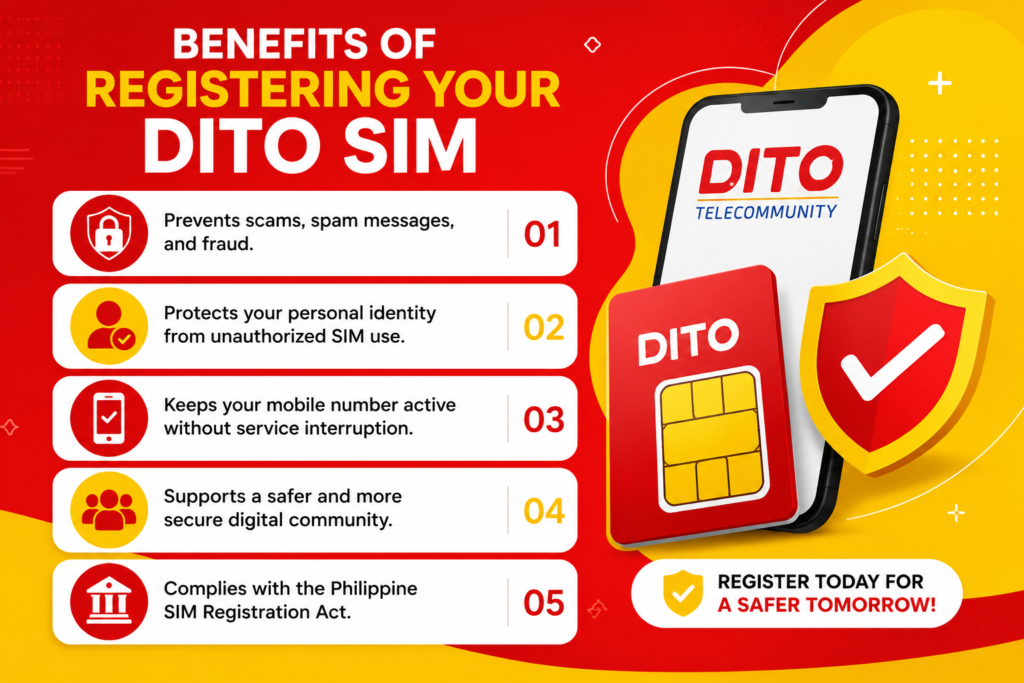
Benefits of Registering Your DITO SIM
✔ Prevents scams, spam messages, and fraud.
✔ Protects your personal identity from unauthorized SIM use.
✔ Keeps your mobile number active without service interruption.
✔ Supports a safer and more secure digital community.
✔ Complies with the Philippine SIM Registration Act.
Who Needs to Register?
DITO SIM registration is mandatory for almost every DITO subscriber in the Philippines.
You should register if you are:
- New DITO SIM users
- Existing DITO subscribers
- Prepaid customers
- Postpaid subscribers
- DITO Home WiFi users
- Filipino citizens
- Foreign nationals staying in the Philippines
Failure to register your SIM within the required period may result in service deactivation.
How to Register DITO SIM Online
Registering your DITO SIM online is quick and simple. The entire process usually takes only a few minutes if you have your valid ID and mobile number ready. Follow these steps to complete your registration through the official DITO SIM Registration Portal.
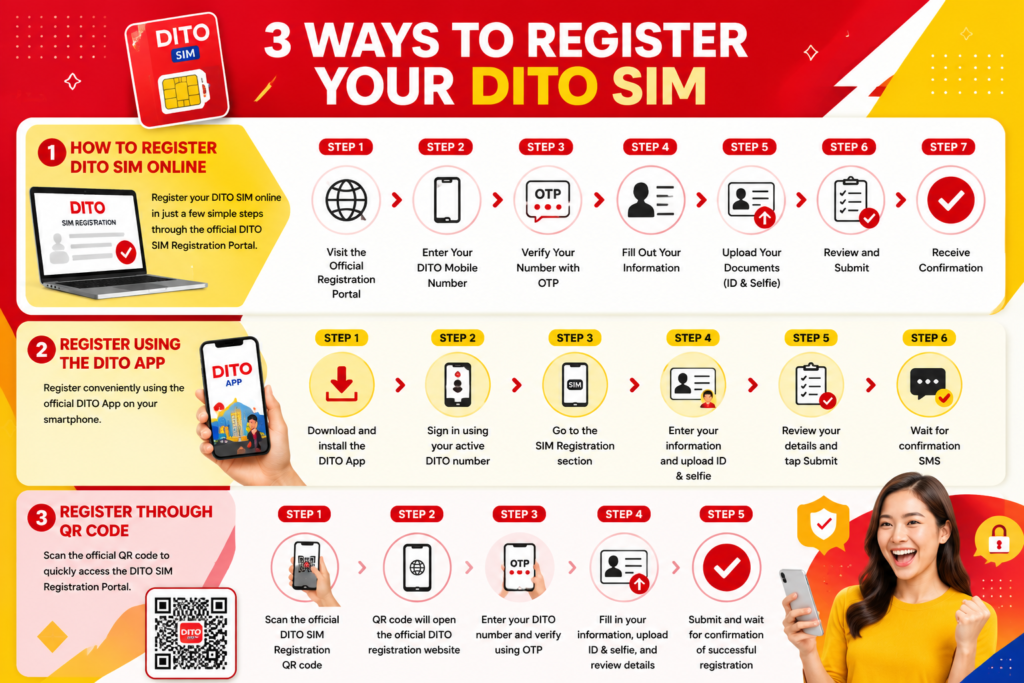
Step 1: Visit the Official Registration Portal
Open the official DITO SIM Registration website and begin the registration process.
Step 2: Enter Your DITO Mobile Number
Type your active DITO mobile number in the required field and continue.
Step 3: Verify Your Number
You’ll receive a One-Time Password (OTP) via SMS. Enter the OTP within the given time to verify your mobile number.
Step 4: Fill Out Your Information
Provide your full name, date of birth, nationality, residential address, and other required personal details accurately.
Step 5: Upload Your Documents
Upload a clear photo of your valid government-issued ID along with a selfie for identity verification.
Step 6: Review and Submit
Double-check all the information you’ve entered before submitting your application.
Step 7: Receive Confirmation
Once your registration is approved, you’ll receive a confirmation message indicating that your DITO SIM has been successfully registered.
Register Using the DITO App
You can also complete your DITO SIM registration using the official DITO App. This method is convenient for users who prefer registering directly from their smartphones.


Step 1
Download and install the DITO App from the Google Play Store or Apple App Store.
Step 2
Sign in using your active DITO mobile number.
Step 3
Navigate to the SIM Registration section within the app.
Step 4
Enter your personal information and upload your valid ID along with a clear selfie.
Step 5
Review your details carefully and tap Submit.
Step 6
Wait for the confirmation SMS notifying you that your registration has been completed successfully.
Register Through QR Code
DITO also provides a QR code that allows users to access the official SIM Registration Portal quickly without typing the website address manually.
Step 1
Scan the official DITO SIM Registration QR code using your smartphone camera or any QR scanner.
Step 2
The QR code will automatically open the official DITO SIM Registration website in your browser.
Step 3
Enter your DITO mobile number and verify it using the OTP sent via SMS.
Step 4
Fill in your personal information, upload your valid ID and selfie, then review your details.
Step 5
Submit your application and wait for the confirmation message indicating that your DITO SIM has been successfully registered.
Important: Always use the official DITO QR code or official registration portal to protect your personal information and avoid fraudulent websites.
How to Check DITO SIM Registration Status
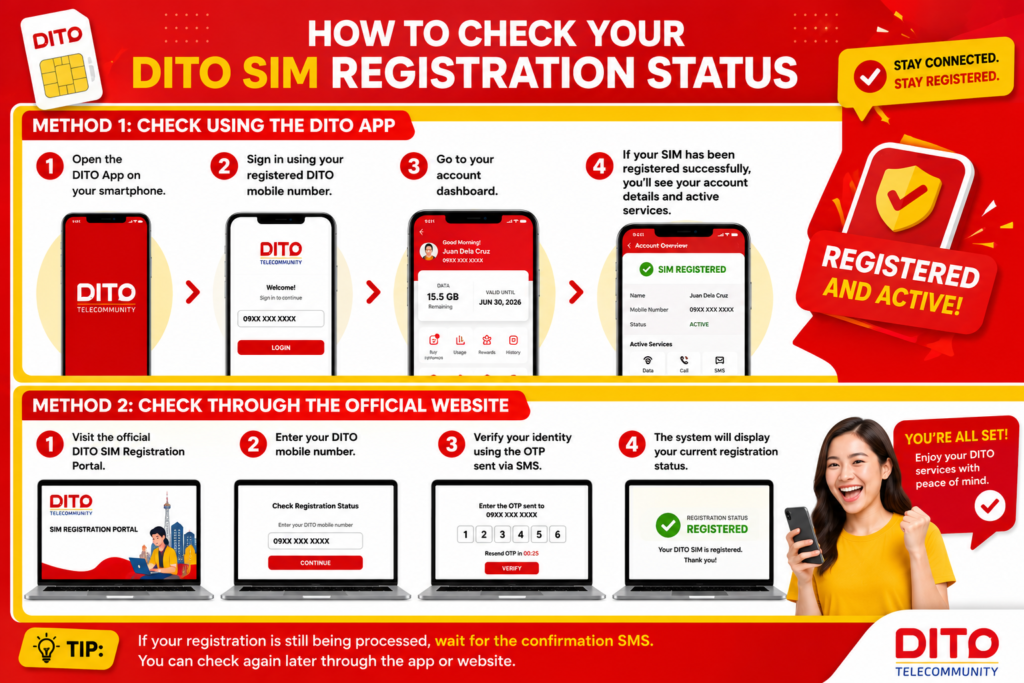
After submitting your DITO SIM registration, it’s a good idea to confirm that your SIM has been successfully registered. DITO provides a simple way to check your registration status through its official channels.
Method 1: Check Using the DITO App
- Open the DITO App on your smartphone.
- Sign in using your registered DITO mobile number.
- Go to your account dashboard.
- If your SIM has been registered successfully, you’ll see your account details and active services.
Method 2: Check Through the Official Website
- Visit the official DITO SIM Registration Portal.
- Enter your DITO mobile number.
- Verify your identity using the OTP sent via SMS.
- The system will display your current registration status.
Tip: If your registration is still being processed, wait for the confirmation SMS before trying again.
Common Registration Errors
Although the registration process is straightforward, some users may experience issues. Below are the most common problems and their solutions.
| Error | Possible Cause | Solution |
|---|---|---|
| OTP Not Received | Weak signal or network delay | Wait a few minutes and request a new OTP. |
| Invalid Mobile Number | Incorrect number entered | Double-check your DITO mobile number. |
| ID Upload Failed | File size too large or blurry image | Upload a clear, supported image format. |
| Selfie Verification Failed | Poor lighting or unclear face | Take a new selfie in good lighting. |
| Registration Submission Failed | Temporary server issue | Refresh the page and try again later. |
How to Fix OTP Problems
The One-Time Password (OTP) is required to verify your DITO mobile number during registration. If you don’t receive the OTP, try the following solutions:
- Confirm that your DITO SIM has a mobile signal.
- Ensure you’ve entered the correct mobile number.
- Wait for a few minutes, as SMS delivery may be delayed.
- Tap Resend OTP if the option is available.
- Restart your phone and request a new OTP.
- If the issue continues, contact DITO Customer Support for assistance.
Important: Never share your OTP with anyone. DITO will never ask for your OTP through phone calls, emails, or social media messages.
SIM Registration for Foreigners
Foreign nationals staying in the Philippines are also required to register their DITO SIM cards before using mobile services.
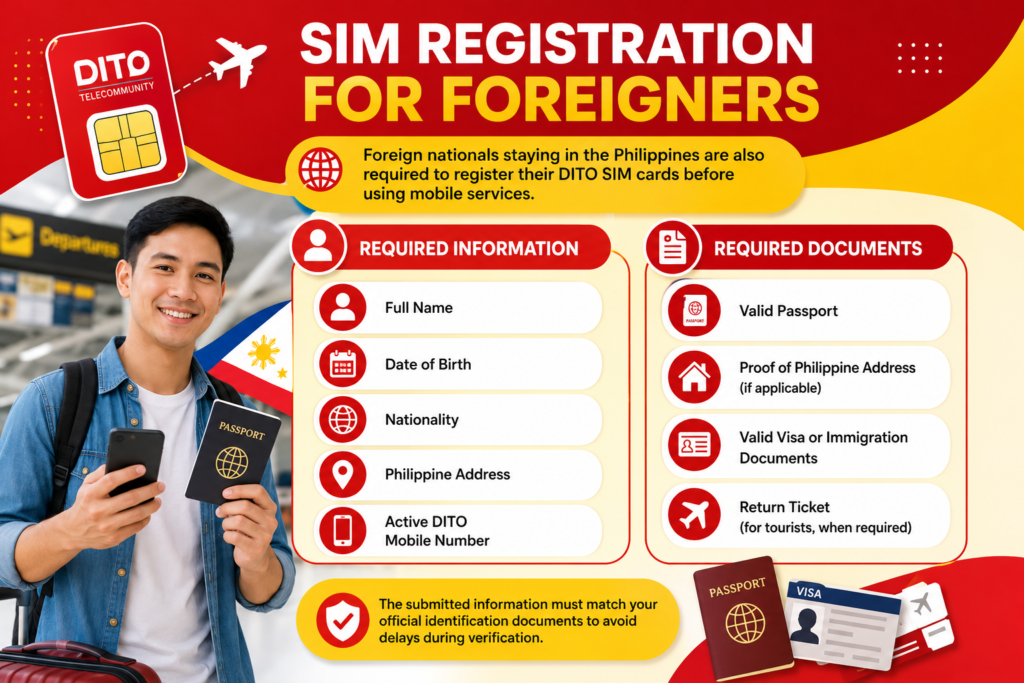
Required Information
- Full Name
- Date of Birth
- Nationality
- Philippine Address
- Active DITO Mobile Number
Required Documents
- Valid Passport
- Proof of Philippine Address (if applicable)
- Valid Visa or Immigration Documents
- Return Ticket (for tourists, when required)
The submitted information must match your official identification documents to avoid delays during verification.
Benefits of DITO SIM Registration
Registering your DITO SIM offers several advantages beyond complying with government regulations.
Key Benefits
- Protects your mobile number from unauthorized use.
- Reduces spam messages, scams, and fraudulent activities.
- Keeps your DITO services active without interruption.
- Makes it easier to recover your SIM if it is lost or stolen.
- Helps create a safer and more secure mobile network in the Philippines.
- Ensures compliance with the SIM Registration Act.
- Gives you uninterrupted access to calls, text messages, and mobile data services.
Reminder: Always register your DITO SIM using the official DITO SIM Registration Portal and keep your personal information up to date for a smooth and secure mobile experience.
Safety Tips for DITO SIM Registration
Keeping your personal information secure is just as important as completing your SIM registration. Follow these safety tips to protect your identity and avoid online scams.
Register Only Through Official Channels
Always use the official DITO SIM Registration Portal or the DITO App. Avoid registering through unofficial websites or suspicious links.
Never Share Your OTP
Your One-Time Password (OTP) is confidential. Never share it with anyone, including people claiming to be from DITO.
Use a Valid Government-Issued ID
Upload a clear and unexpired government-issued ID. Make sure the information matches the details you enter during registration.
Double-Check Your Information
Before submitting your application, review your personal details carefully to avoid delays or verification issues.
Beware of Fake Websites
Scammers may create fake registration pages to steal personal information. Always verify that you are using the official DITO registration website.
Keep Your Confirmation Message
After successful registration, save the confirmation SMS or email for future reference.
Frequently Asked Questions (FAQs)
1. Is DITO SIM registration mandatory?
Yes. Under the SIM Registration Act (Republic Act No. 11934), all new and existing DITO SIM cards must be registered.
2. What documents do I need to register?
You’ll need an active DITO SIM, a valid government-issued ID, your personal information, and a clear selfie for identity verification.
3. Can I register more than one DITO SIM?
Yes. You can register multiple DITO SIM cards as long as each SIM is registered under your personal information.
4. What should I do if I don’t receive the OTP?
Check your mobile signal, verify that you’ve entered the correct number, wait a few minutes, and then request a new OTP.
5. Can foreigners register a DITO SIM?
Yes. Foreign nationals can register by providing the required documents, such as a valid passport and other supporting documents based on their immigration status.
6. How can I confirm that my DITO SIM has been registered?
You can check your registration status through the DITO App or by visiting the official DITO SIM Registration Portal.
Final Thoughts
Completing your DITO SIM registration is a simple but important step to keep your mobile services active and secure. By registering your SIM through the official DITO registration portal, you help protect your personal information, reduce mobile-related fraud, and comply with the Philippine SIM Registration Act.
This guide has covered everything you need to know—from registration requirements and accepted IDs to online registration, the DITO App, QR code registration, status checking, troubleshooting common issues, and frequently asked questions. If you follow the steps outlined above and use only official DITO channels, you can complete the process safely and confidently.
Need to register now? Visit the official DITO SIM Registration Portal and complete your registration in just a few minutes to continue enjoying uninterrupted DITO mobile services.